Tutorials › Shortlets · Episode 7
Track Shortlet Expenses and See Your Real Profit Per Unit
Record shortlet expenses by category and unit, then see revenue, running costs, occupancy and net profit for each unit and any period, plus the VAT you collected.
Plays from YouTube when you tap it.
What you'll learn
Bookings tell you what came in, but is your shortlet actually making money? In this tutorial you’ll see how to record expenses in Lana by category, such as staff wages, generator diesel, cleaning and repairs, and tie a cost to the unit it belongs to. Then open Reports on the dashboard to see revenue, running costs, net profit and the VAT you collected, and compare every unit’s occupancy, revenue, expenses and profit for this month, the last three months or all time.
Chapters
Step by step
Spend by category
Expenses shows your spending by category: staff wages, diesel for the generator, repairs, cleaning. The biggest costs sit at the top.
Record an expense
To record one, tap Add Expense. Pick the category and enter the amount. If the cost belongs to one unit, choose it. Here, a new shower mixer for the Penthouse. Add a short note, and save.
Costs for one unit
Filter by unit to see everything you've spent on one apartment. Shared costs, like staff wages or diesel, don't need a unit. Lana keeps those as whole-property costs.
Profit this month
Now the dashboard. Under Reports, you see this month's revenue, running costs and net profit, and the VAT you collected.
Profit by unit
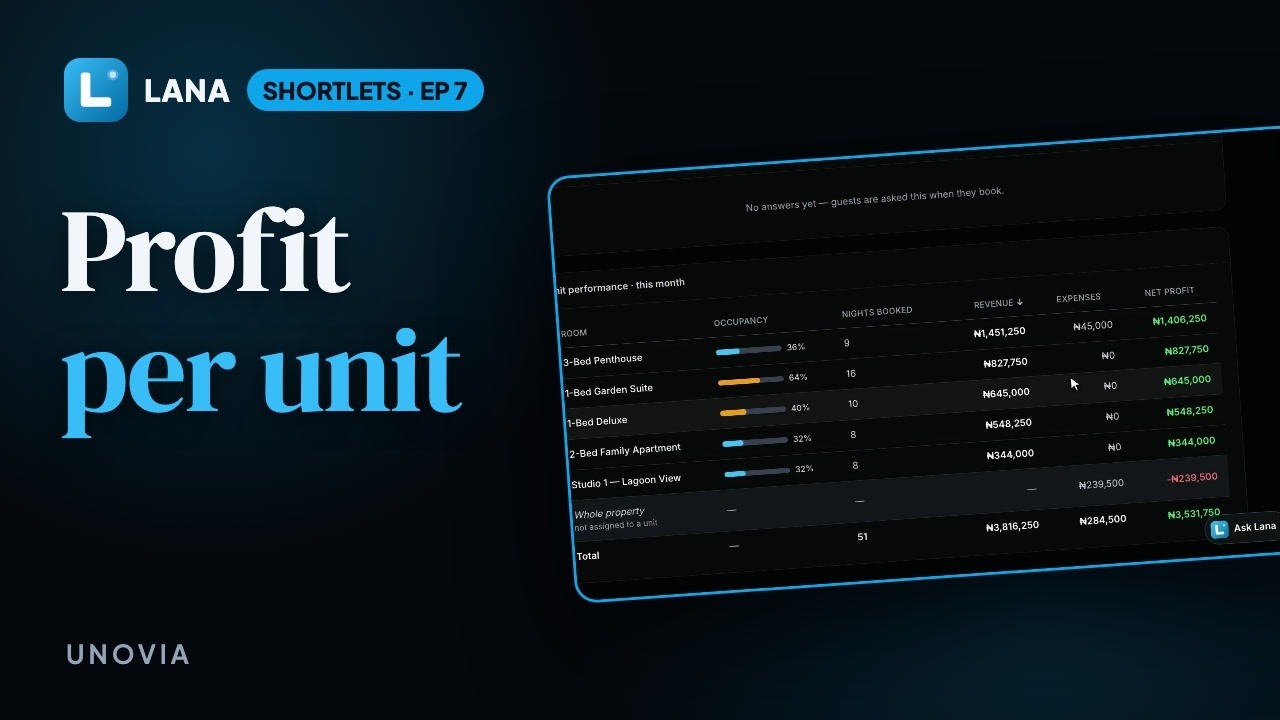
Unit performance puts your apartments side by side: how often each was booked, what it earned, what it cost, and what it made. The Penthouse repair shows here, against that unit's own profit. Shared costs sit on their own line.
Any period
Pick any period. Last three months, last year or all time, and every figure on the page changes to match.
Questions
What expense categories does Lana use?
Fourteen, including cleaning, generator fuel and servicing, utilities and internet, staff wages, booking platform fees, maintenance and repairs, and caution deposit refunds.
Should every expense belong to a unit?
No. Tie a cost to a unit when it belongs to one apartment, such as a repair. Leave shared costs like staff wages or diesel without a unit: Lana shows them on their own Whole property line, so each unit’s profit only carries its own costs.
Where do I see profit for each unit?
On the dashboard, under Reports. Unit performance lists every unit’s occupancy, nights booked, revenue, expenses and net profit for the period you pick.
How is occupancy worked out?
From the nights actually booked in the period you choose, divided by the nights the unit could have been sold.
Can I see last year or all time?
Yes. Pick this month, last month, the last 3 or 6 months, this year, last year, all time or a custom range, and every figure on the page covers it.